TA800(FXS) - Accesso portale web
http://192.168.5.10/ [IP Default puo variare]
USR: admin / PSW: progetto9 [Default admin/password]
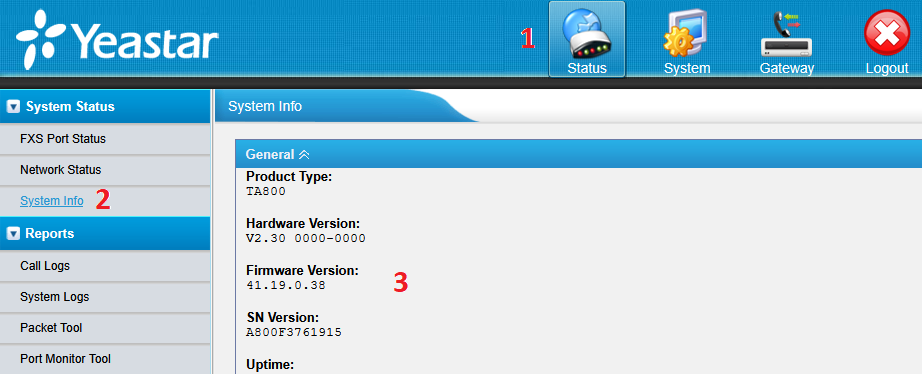
STEP 1 - Verificare che la versione FIRMWARE sia aggiornato info su Google
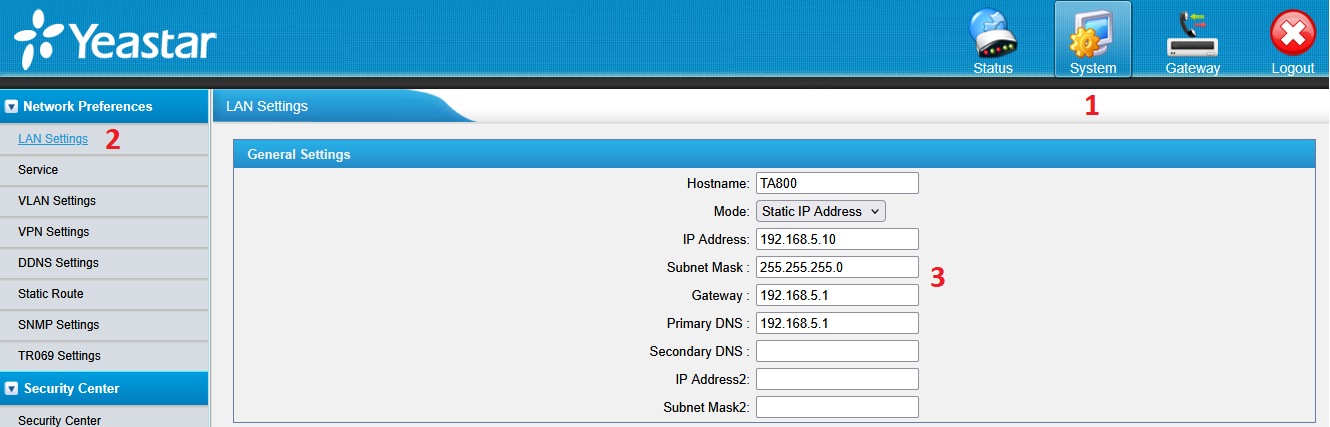
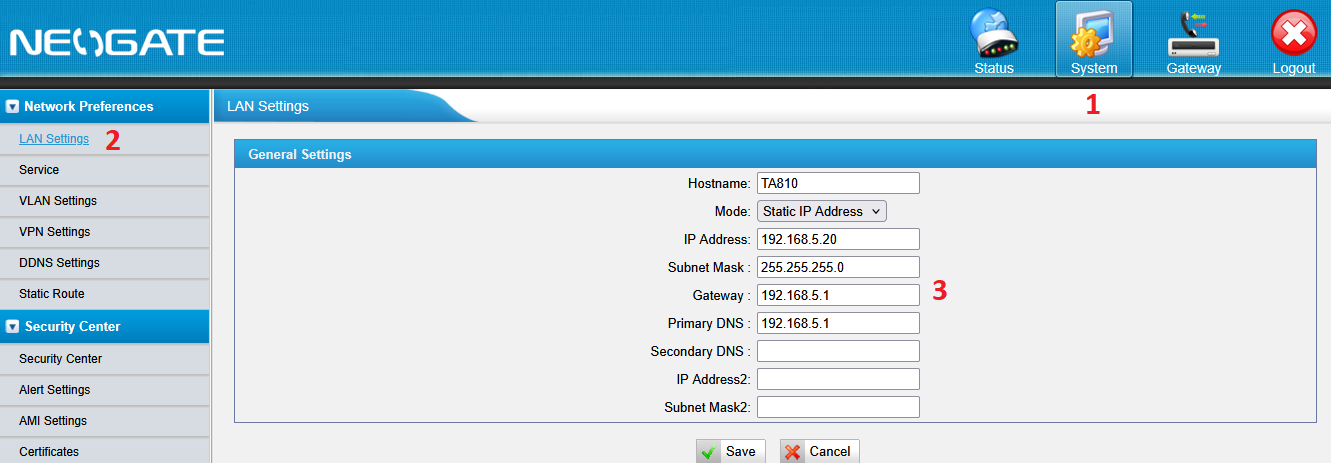
STEP 2 - Configurazione LAN TA800(FXS)
 STEP 3 - Configurazione Port List
STEP 3 4 - Configurazione VoIP Server Settings [SET IP TA810]
STEP 4 - Configurazione Port List
...
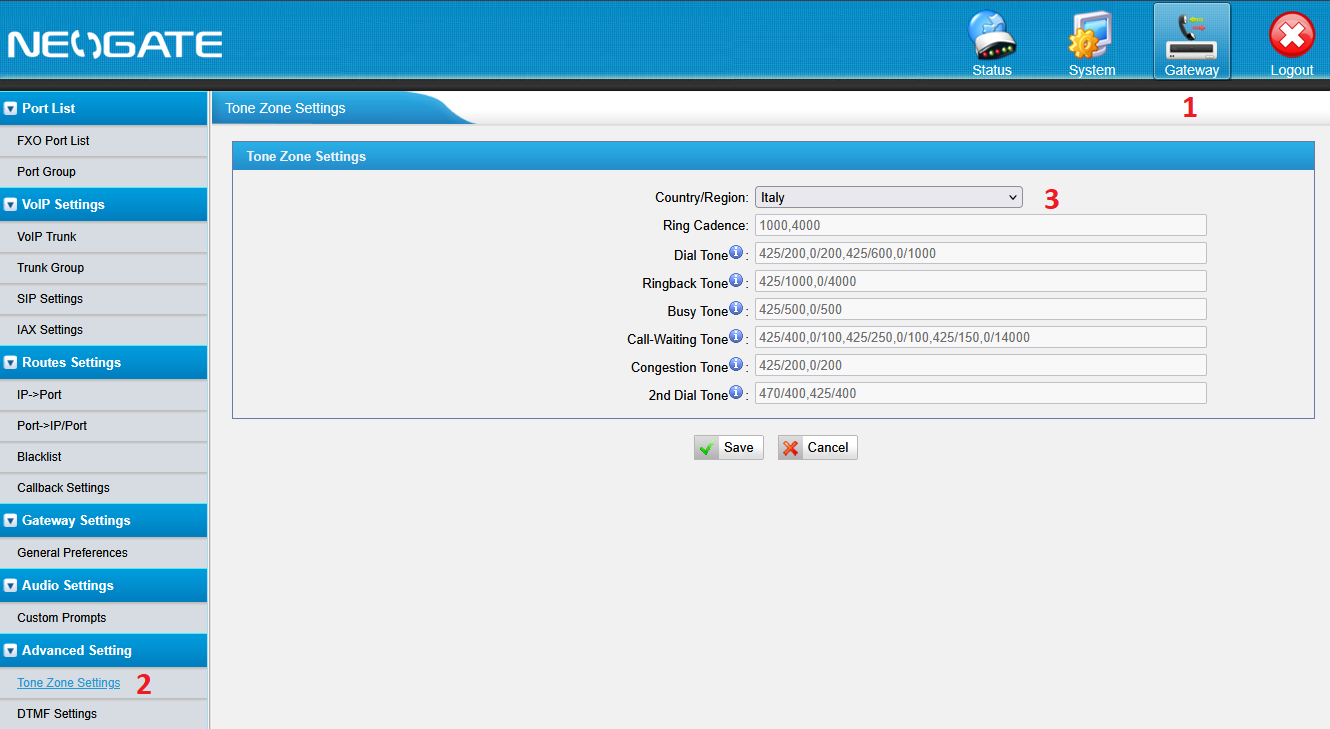
STEP 5 - Configurazione Tone Zone Settings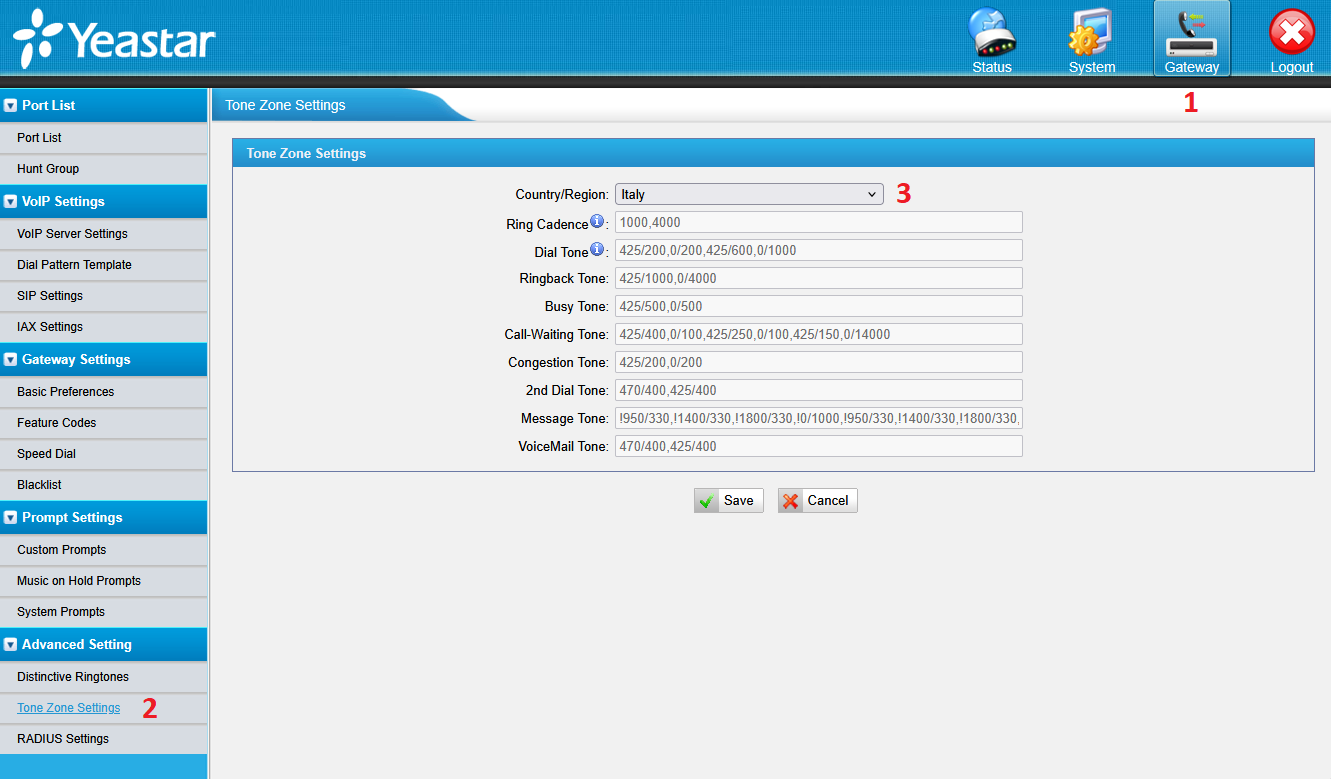
STEP 6 - FXS Port Status (fa vedere se i telefoni sono collegati)
...
TA810(FXO) - Accesso portale web
http://192.168.5.20/ [IP Default puo variare]
USR: admin / PSW: progetto9 [Default admin/password]
STEP 1 - Verificare che la linea PSTN [Public Switched Telephone Network] sia collegata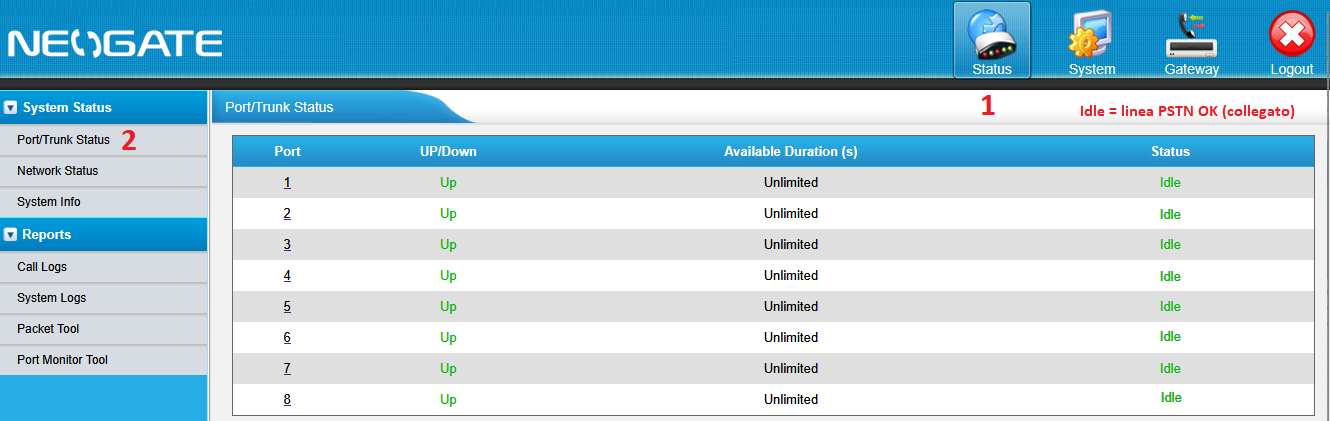
STEP 2 - Verificare che la versione FIRMWARE sia aggiornato info su Google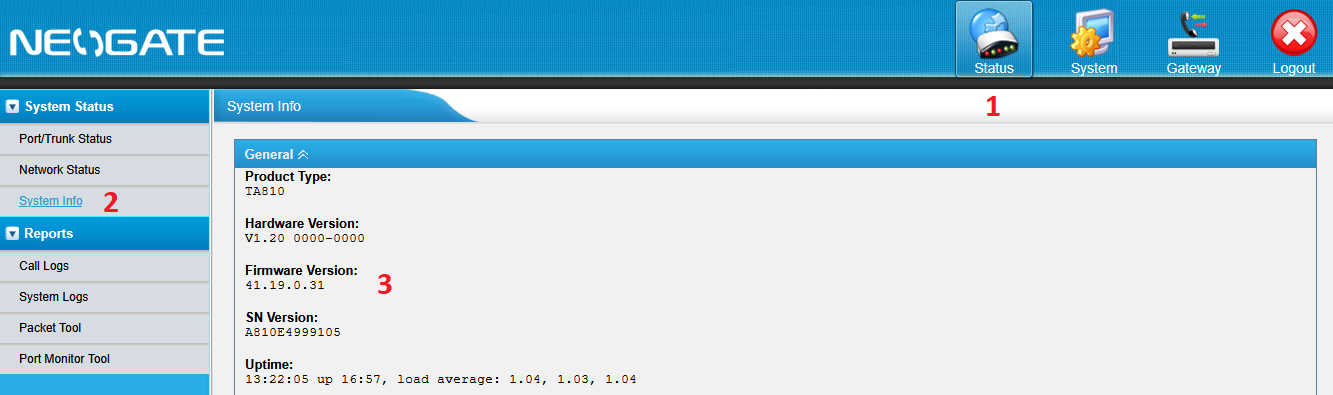
STEP 3 - Configurazione LAN TA810(FXO)
STEP 4 - Configurazione VoIP Trunk IP del TA800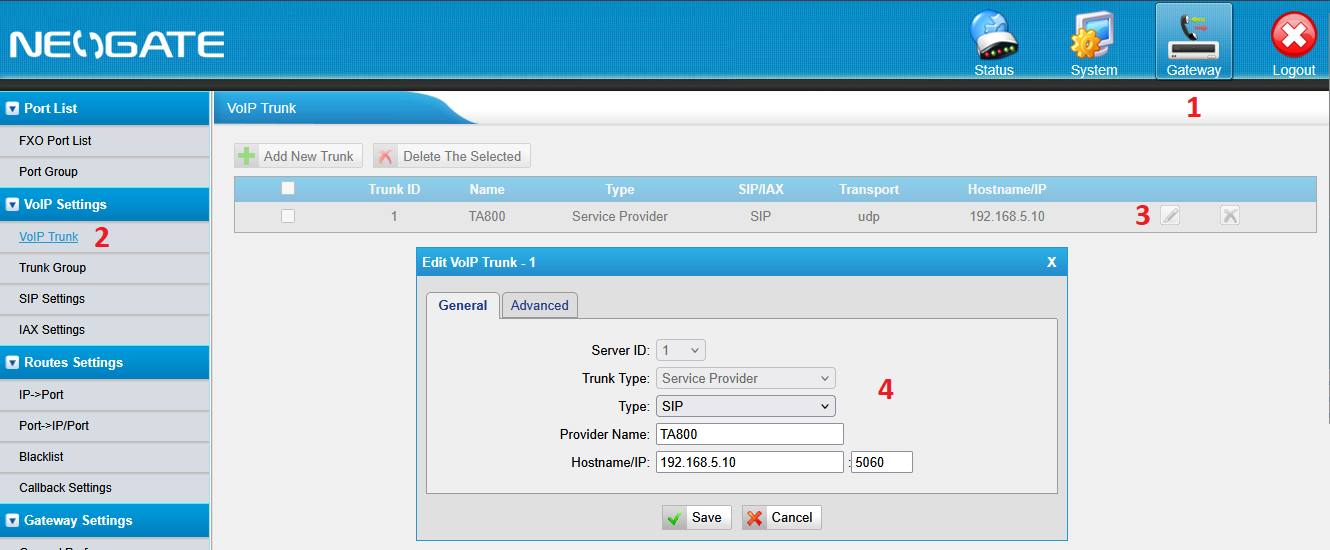
STEP 5 - Verificare che il Port Trunk Comunica con TA800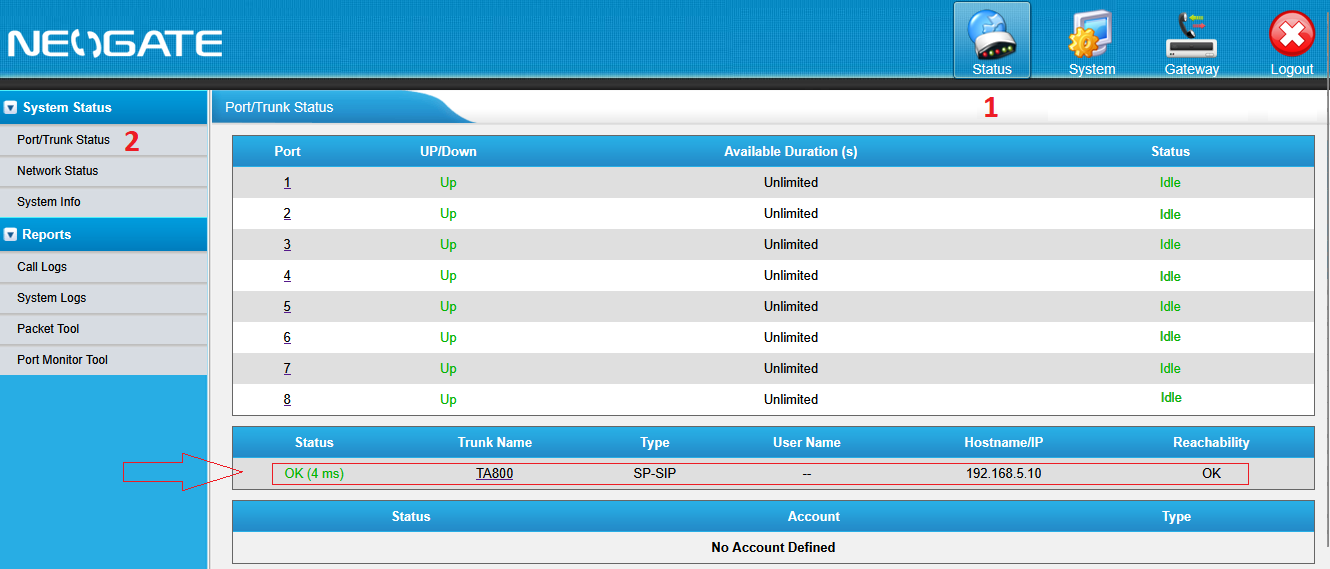
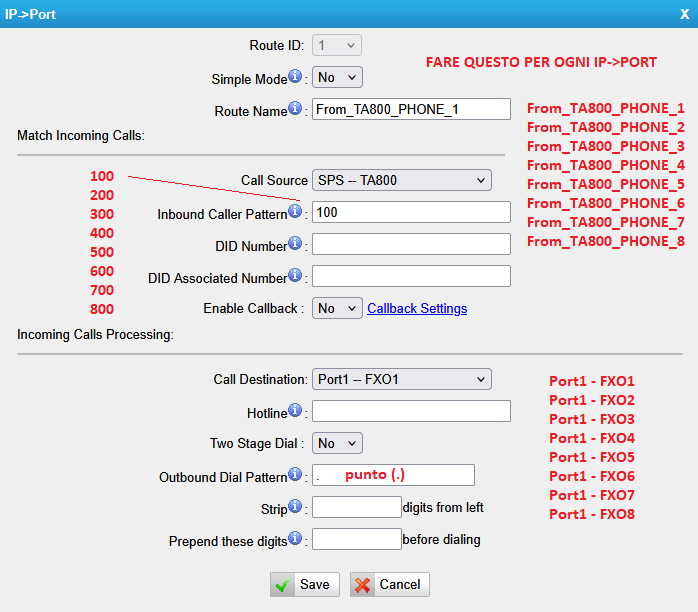
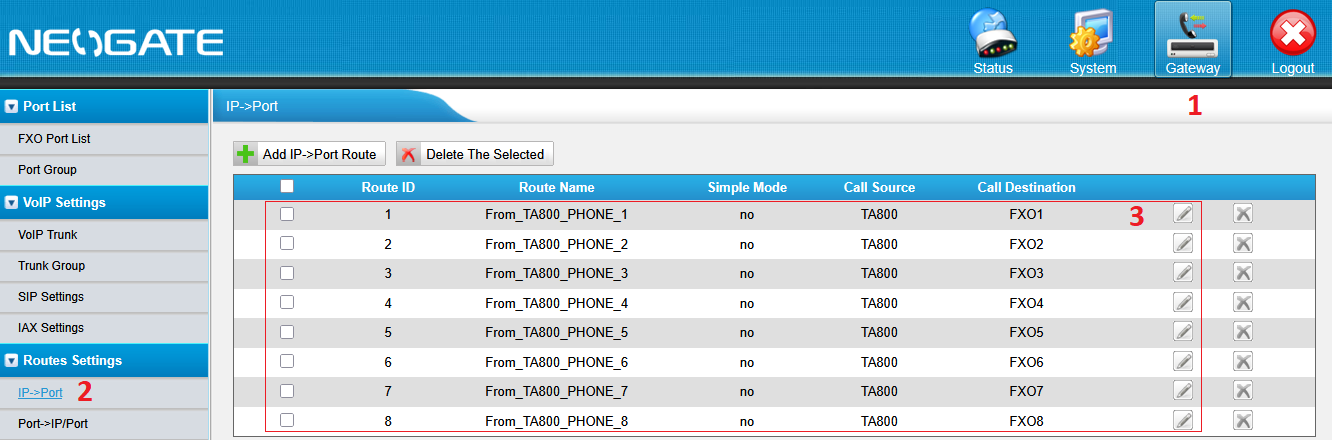
STEP 5 - Configurazione IP→PORT
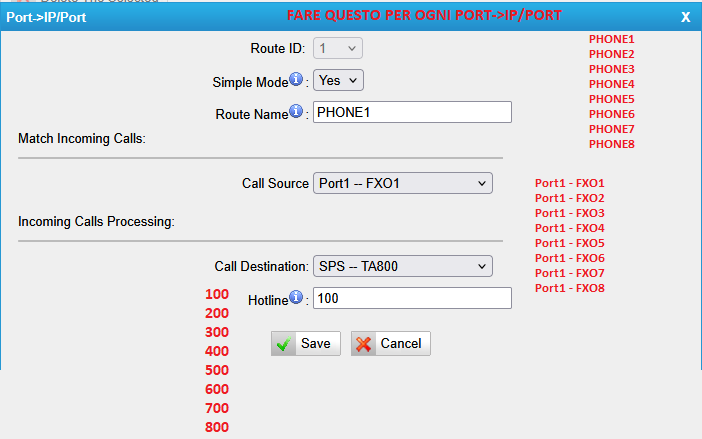
STEP 6 - Configurazione Port->IP/PORT
STEP 7 - Configurazione Tone Zone Settings